Technical SEO REST API: How to Automate Website Audits, CI/CD Checks & BI Dashboards
Written by SEOdiag Team · Published on 2026-08-12
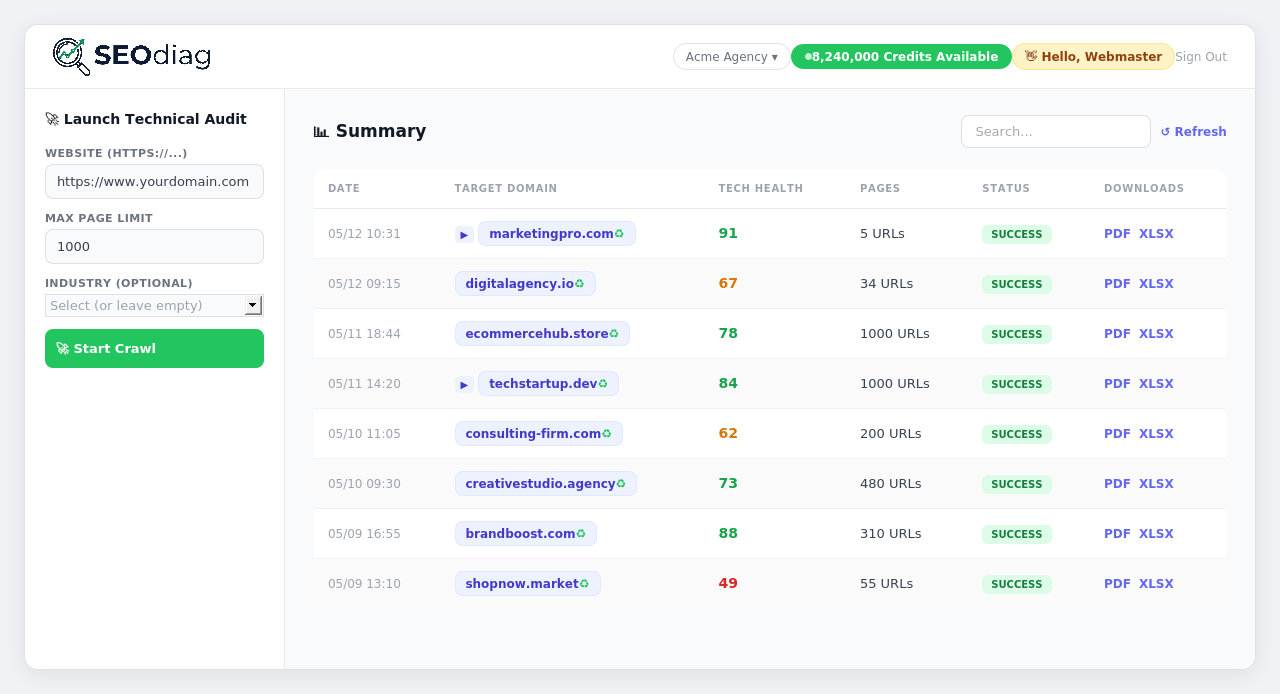
When an SEO agency or in-house growth engineering team scales past 20 or 50 managed domains, running manual crawls in a browser or relying on local desktop crawlers like Screaming Frog quickly becomes an operational bottleneck.
Today, we are announcing our official REST API Developer Documentation alongside dedicated programmatic API access for Agency and Enterprise workspaces. With this release, technical teams can embed SEOdiag's cloud crawl engine directly into their data pipelines, internal CRM workflows, and continuous integration (CI/CD) deployments.
Why Automate Technical SEO with a REST API?
Manual SEO audits are inherently reactive: someone notices an organic traffic drop in Google Search Console, runs a manual crawl, and discovers that a production deployment two weeks ago injected an accidental noindex tag or broke canonical URLs across a core product category.
Integrating a programmatic SEO crawl API shifts your workflow from reactive firefighting to proactive engineering across three core use cases:
- Automated CI/CD Quality Gates (GitHub Actions / GitLab CI): Trigger an automated crawl against staging or production right after every
git pushto verify that zero critical templates return404/500errors or lose theirH1and canonical tags. - Data Warehouse & BI Dashboard Ingestion: Sync historical SEO Health Scores (0-100) into BigQuery, Snowflake, Looker Studio, or Power BI alongside revenue, organic conversions, and server response telemetry.
- Automated Agency Sales & Client Onboarding: When a prospect submits a lead form on your agency website, your backend can automatically trigger a background crawl via API and prepare a complete technical diagnostic before the discovery call.
Comparison: Desktop Crawlers vs. SEOdiag Cloud REST API
| Operational Dimension | Desktop Crawlers (Local CLI) | Legacy Enterprise Cloud Crawlers | SEOdiag REST API (Agency / Enterprise) |
|---|---|---|---|
| Infrastructure | Consumes local RAM/CPU or requires maintaining dedicated VMs | 100% Cloud (requires $500+/mo annual contracts) | 100% Cloud with zero server maintenance |
| WAF / Cloudflare Bypass | Frequent IP blocks on office or residential connections | Manual proxy setup or custom IP whitelisting | Built-in TLS fingerprint rotation & on-demand unblocker |
| Multi-Client Isolation | Separate local folders per client project | Complex sub-account provisioning | Native X-Workspace-ID header per HTTP request |
| Pricing Model | Annual per-seat license + cloud VM hosting costs | Rigid annual enterprise lock-in | Included in Agency ($99) and Enterprise ($159) plans |
| Data Extraction | Manual CSV exports or fragile local scripts | REST / GraphQL | Paginated JSON (URLs, Issues, Score, Speed, History) |
Authentication Architecture & Multi-Tenancy (X-Workspace-ID)
The SEOdiag API uses signed JWT (JSON Web Tokens). When authenticating against POST /auth/login with an Agency or Enterprise account, the JSON response returns your access_token directly (valid for 12 hours) so your backend service can cache and reuse it:
curl -X POST "https://seodiag.com/auth/login" \
  -H "Content-Type: application/json" \
  -d '{
    "email": "engineering@youragency.com",
    "password": "YOUR_SECURE_PASSWORD"
  }'
For agencies managing multiple client brands or business units, every subsequent API request can target a specific workspace by passing the X-Workspace-ID header. This guarantees strict tenant and credit isolation across clients without managing separate credentials.
End-to-End Python Workflow: Trigger, Poll, and Inspect Issues
Below is a production-ready Python example that triggers a 500-URL technical audit after a deployment, polls non-blockingly until completion, and alerts the team if the technical health score drops below a defined threshold:
import time
import requests

BASE_URL = "https://seodiag.com"
HEADERS = {
    "Authorization": "Bearer YOUR_JWT_ACCESS_TOKEN",
    "X-Workspace-ID": "23",
    "Content-Type": "application/json",
}

# 1. Trigger a 500-URL technical audit after deployment
resp = requests.post(
    f"{BASE_URL}/crawl",
    headers=HEADERS,
    json={"url": "https://client-ecommerce.com", "max_urls": 500},
    timeout=30,
)
resp.raise_for_status()
job_id = resp.json()["job_id"]
print(f"🚀 Audit started (job_id={job_id})")

# 2. Non-blocking status polling every 15 seconds
while True:
    status_data = requests.get(f"{BASE_URL}/status/{job_id}", headers=HEADERS, timeout=15).json()
    if status_data["status"] in ("completed", "failed", "canceled"):
        break
    print(f"⏳ Stage: {status_data.get('stage')} | Crawled URLs: {status_data.get('crawled_count')}")
    time.sleep(15)

# 3. Validate Health Score and inspect technical issues
summary = status_data.get("summary", {})
score = summary.get("health_score", 0)
print(f"✅ Audit completed — Health Score: {score}/100")

if score < 80:
    issues = requests.get(f"{BASE_URL}/crawl/{job_id}/issues", headers=HEADERS, timeout=15).json()
    print(f"⚠️ CI/CD Alert: Low score ({score}). Affected categories: {list(issues['issues'].keys())}")
Core Endpoints for Data & BI Teams
In our new REST API & Integrations Guide, we document every request parameter and response schema. The most popular endpoints used by Agency and Enterprise teams include:
GET /projects: Complete inventory of audited domains in the workspace, including their latest health score, crawled URL count, and automated scheduling settings.POST /crawl&GET /status/{job_id}: Asynchronous crawl orchestration with granular page caps (max_urls) and real-time stage tracking (Discovery, Crawling, Speed & Analysis).GET /crawl/{job_id}/urls: Paginated URL explorer (up to 500 URLs per call) with filters for HTTPstatus_code,indexable_status, or free-textsearch. Returnsttfb_ms,title,h1,canonical,word_count, and clickdepth.GET /crawl/{job_id}/issues: Consolidated dictionary of technical SEO findings grouped by rule and severity.GET /history/detail?url=...: Historical time-series metrics for any audited domain to chart technical health trends,4xx/5xxspikes, non-indexable pages, and server latency in Looker Studio or Tableau.
Security, Rate Limiting & Tier Governance
To guarantee high availability across our distributed worker queues and protect workspace resources:
- Exclusive to Top Tiers: Programmatic access via
Authorization: Bearerheaders is strictly gated to Agency and Enterprise subscriptions. Lower-tier accounts receive a clear403 Forbiddenresponse prompting a plan upgrade. - Rate Limits & Polling Cadence: Launching new crawls (
POST /crawl) is protected by a 10 requests per minute rate limit, and we recommend a 10 to 15 second polling interval on/status/{job_id}. - Transactional Credit Safety: If a target server rejects the initial connection or a job fails unexpectedly, SEOdiag's transactional credit ledger preserves your workspace balance automatically.
Explore the full developer reference in English at /en/docs/api-integrations-guide.html or in Spanish at /docs/api-integraciones-guia.html, and check out all recent engine upgrades in our official Changelog.